
Building Control Room Displays That Never Blink
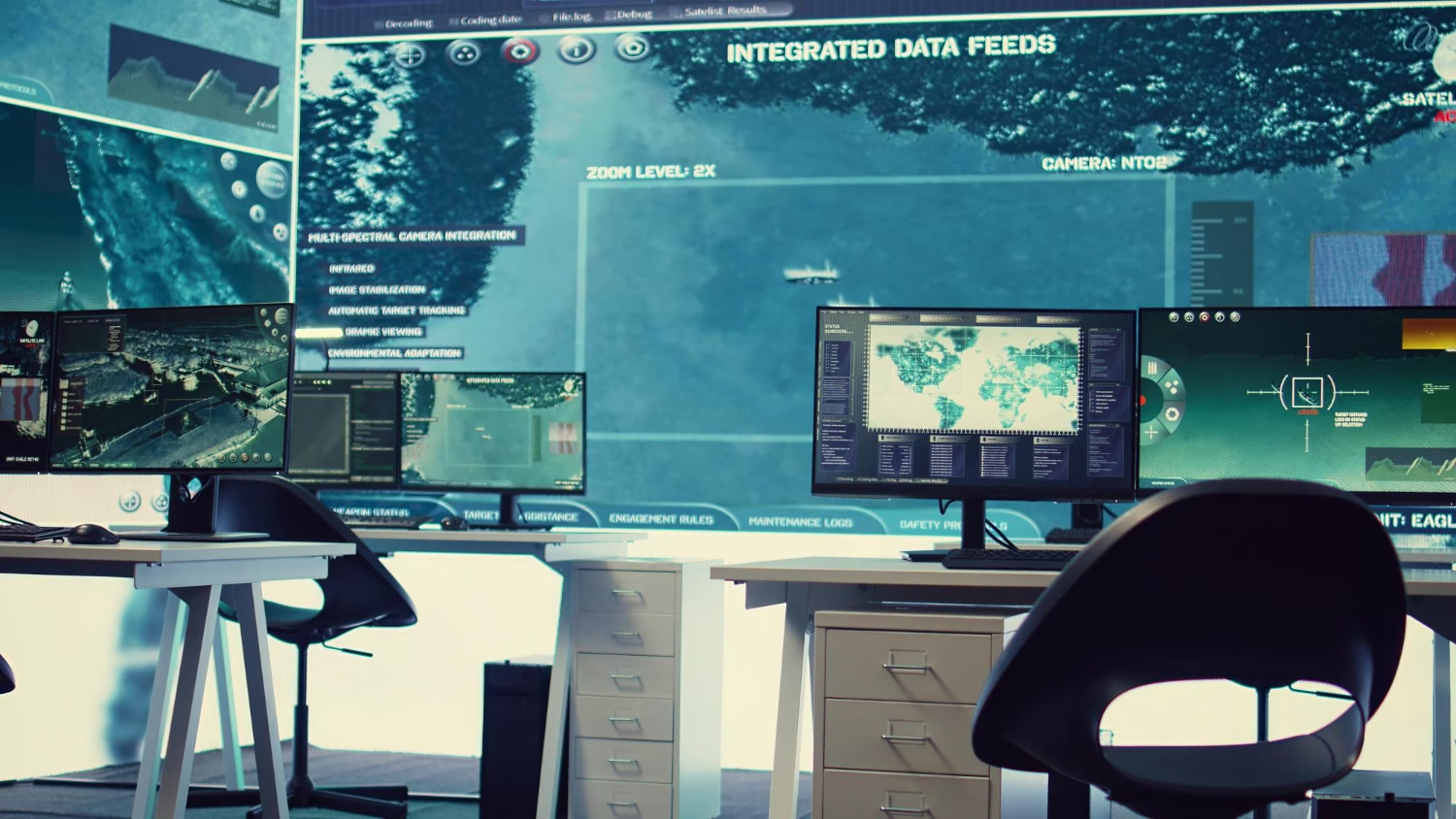
Control room displays cannot take a day off. Utilities, transportation hubs, security teams, broadcast MCRs, and emergency operations centers all lean on screens to show what is happening right now. If the wall goes dark, even for a short time, people can get hurt, money can be lost, and trust can slip away fast.
That is why many teams are moving from older LCD and projection setups to LED video wall displays. LED walls give you seamless images, wide viewing angles, long run times, and strong performance in bright or mixed light. In this article, we will walk through a practical way to judge LED video walls for high-pressure control rooms, so you can support clear decisions 24 hours a day.
Defining Mission-Critical Requirements Before You Buy
Before anyone picks a pixel pitch or a panel size, the first step is to get clear on how your control room actually works day to day. Most control rooms lean on their displays for things like:
- Real-time monitoring, such as CCTV, maps, and live feeds
- Data visualization, including dashboards, charts, and alarms
- Incident response, where content must shift quickly as events unfold
- Collaboration, with shared content zones for quick team talks
Each of these puts different demands on the screen. A wall focused on maps and detailed data may need a finer pixel pitch and higher resolution, so small text stays crisp at normal viewing distances. A security-focused room with many camera feeds may care more about uniform brightness, strong contrast, and low latency so motion is easy to track.
Your space also shapes the right choice. Key factors include:
- Room size and the distance from operators to the wall
- Number of operators and how many viewing angles you must cover
- Ambient light from windows, skylights, and overhead fixtures
- How the wall needs to tie into your current systems and workflows
From there, it helps to build a simple requirements matrix. Across the top, list items like image quality, uptime, serviceability, and long-term support. Down the side, add how each item affects risk, safety, and operations. This way, you weigh total cost of ownership over the full life of the LED video wall, not just what fits this year’s budget line.
Visual Performance That Keeps Operators Focused
Control room operators often sit in front of screens for long shifts. Clear, stable images help them stay alert and cut down on eye strain. Two of the biggest pieces here are pixel pitch and resolution.
For control room displays, pixel pitch is often in the fine range, since people sit closer and need to read small type. The right pitch depends on:
- Closest viewing distance for the front row
- Typical content, like maps, SCADA screens, dashboards, or camera feeds
- Size of the wall and how many sources you will show at once
Beyond raw resolution, visual comfort comes from several picture traits working together:
- Color accuracy, so maps, alarms, and labels look consistent
- Contrast, so dark areas in camera feeds do not blend into gray mush
- Brightness and color uniformity, so no tiles stand out or look “off”
- Off-axis viewing, so side seats see the same image as the center
- Low latency, so camera motion and live data feel in sync
Mixed-light environments add another layer. In late summer, for example, long daylight hours can bring strong sunlight through windows in the Midwest. Bright LED output and good black levels help fight reflections, but that is only part of the story. Smart dimming and fine brightness control let you tune the wall down at night, so operators are not staring into a spotlight during overnight shifts.
Reliability, Redundancy, and Serviceability Under Pressure
A control room wall has to stay on, even when individual parts do not. That is where reliability and redundancy come in. Core elements include high-quality LED components and steady power supplies that are built for continuous operation.
For mission-critical work, it is also important to look at:
- Redundant data paths, so a single failure does not blank the wall
- Power options that keep content live when one path goes down
- Fault-tolerant design, where issues are isolated instead of spreading
Serviceability matters just as much. When something fails, you cannot pause operations for hours. Helpful features are:
- Front-service access, so technicians can work from the control room side
- Hot-swappable modules that can be replaced while the rest of the wall stays on
- Modular architecture that keeps repairs small and focused
At Neoti, we put a lot of attention into LED solutions for 24/7 spaces like broadcast studios and control rooms. Our approach centers on long lifespan, thorough testing, remote diagnostics tools, and support models that match mission-critical expectations, not just standard office use.
Ergonomics, Layout, and System Integration That Work
Visual comfort is not only about pixels. It is also about how the wall fits the room and the people in it. Good ergonomics help operators keep their heads up and their bodies relaxed, especially on long shifts.
Helpful layout choices include:
- Mounting height that keeps most viewing within a natural eye range
- Flat or gently curved walls that match the room shape and sightlines
- Bezel-free LED surfaces so content is not broken into boxes
- Thoughtful content zoning so teams know where to look for what
System integration is another key piece. Control rooms often connect LED video walls to:
- Control and monitoring platforms
- KVM systems for source control from each seat
- Video processors and switchers
- A mix of signal formats and resolutions
Smooth switching between normal operations and crisis modes is important. In a calm state, you might show wide dashboards and maps. In an incident, you may need to blow up a single source, show backup feeds, or rearrange layout fast. Planning for that with your integration team saves stress later.
Future-proofing is also smart. As workloads shift with seasons, or new data sources come online, the wall should scale without a complete redo. That can mean choosing a size and resolution path that leaves room to grow, or picking a processing platform that can handle more inputs down the road.
From Spec Sheet to Operational Readiness with Neoti
Turning a spec sheet into a working control room display is a process, not a single purchase. A helpful path usually looks like this:
- Assessment, where you map tasks, space, and current systems
- Visualization, using mockups or renderings to see viewing angles and layouts
- Technology selection, where LED pitch, brightness, and redundancy are matched to your use
- Pilot or demo, so key stakeholders can see real content on a real wall
- Installation planning, including power, structure, sightlines, and service access
- Commissioning and training focused on actual control room workflows
When you work with an LED specialist like Neoti, you get more than hardware. Our team focuses on tailored engineering, factory pre-configuration, precise on-site calibration, and ongoing support designed for nonstop environments. As late-summer refresh projects ramp up and days stay bright longer, it is a good time to check whether your current control room displays are truly ready for the next high-pressure event.
Get Started With Your Project Today
If you are ready to upgrade your operations, our expert team is here to help you design and deploy high-performance control room displays tailored to your environment. At Neoti, we collaborate with you to understand your workflow, visibility needs, and long-term technology goals. Reach out so we can review your requirements, answer your technical questions, and recommend a right-sized solution. To begin the conversation, simply contact us and we will follow up promptly.